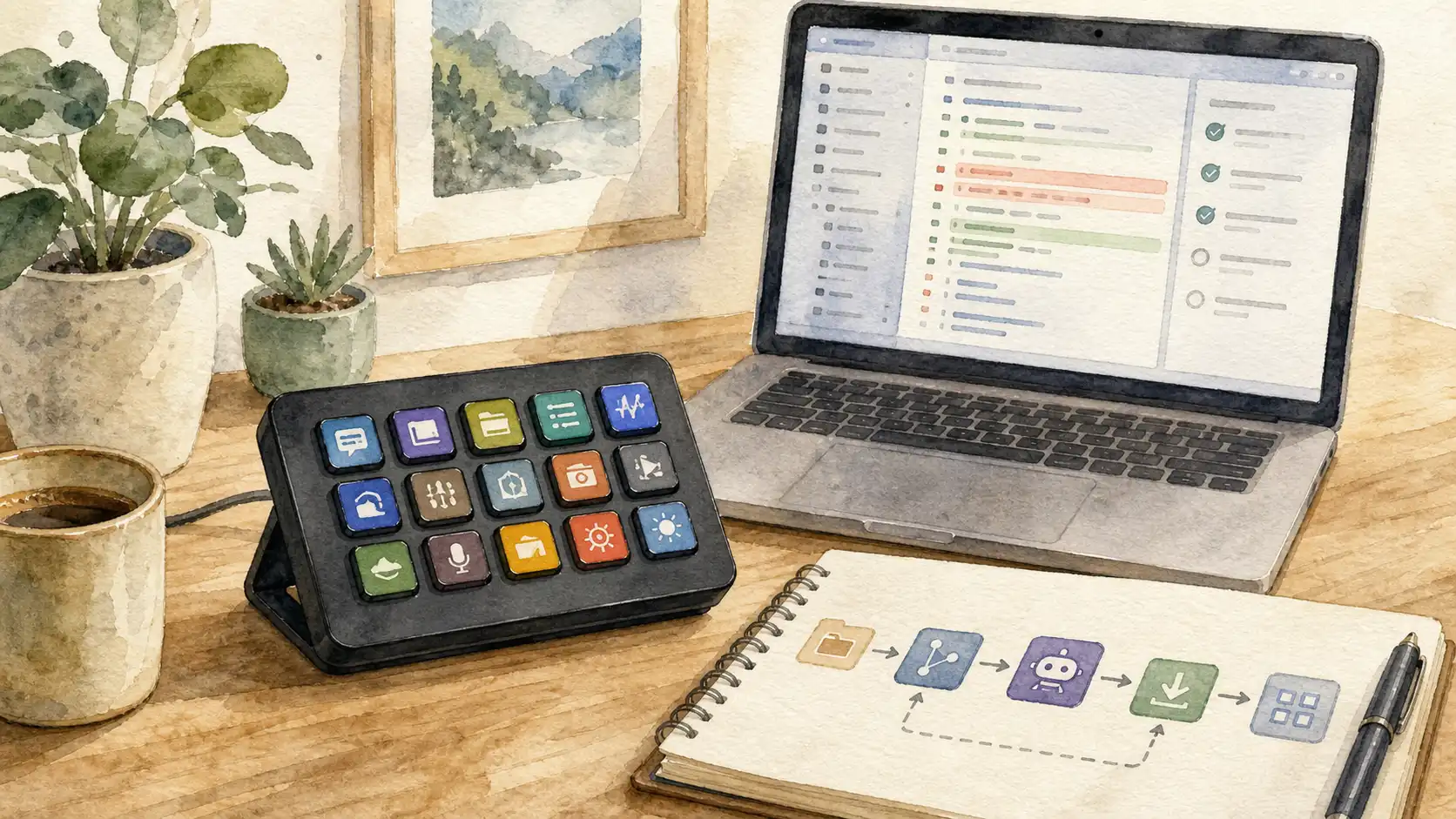
A Stream Deck starts as a small convenience device. Then it becomes a second keyboard, a control surface, a meeting console, a Home Assistant panel, a launcher, a focus-mode switchboard, and eventually a tiny museum of buttons whose icons no longer agree with each other.
That is exactly the kind of maintenance work where Codex or Claude can help. Not because the agent has special Stream Deck magic, but because most of the work is structured, repetitive, and file-shaped: rename things consistently, redraw icon sets, compare profile exports, document what each button is supposed to do, and keep variants for different machines.
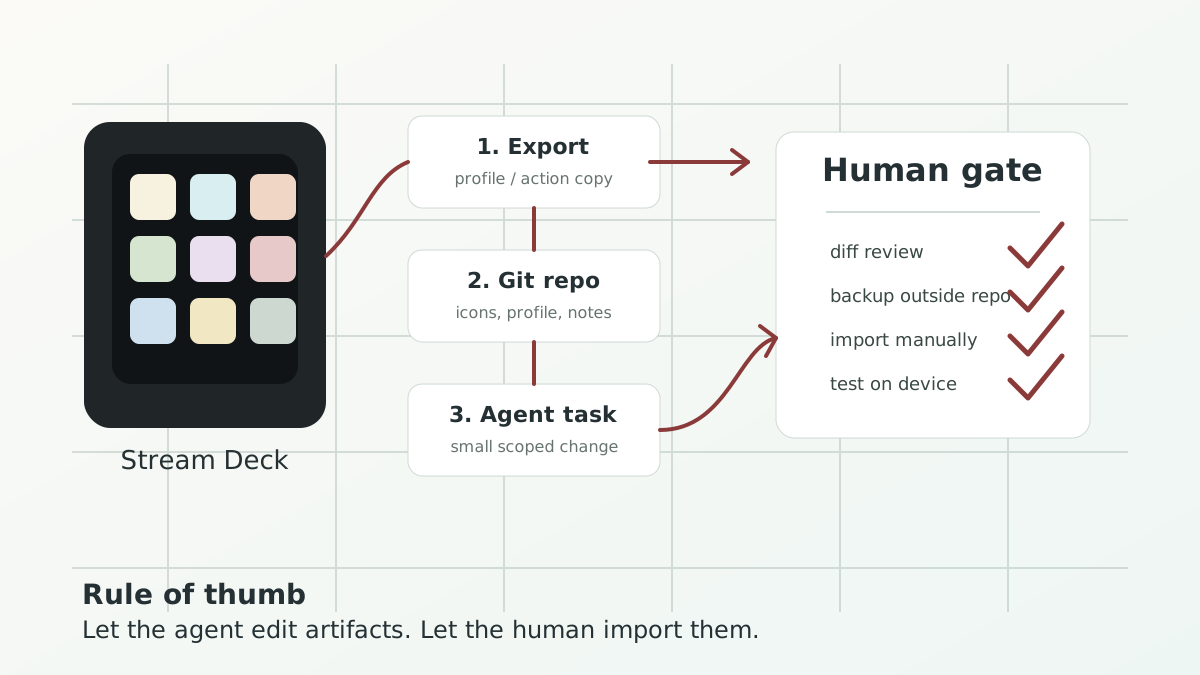
The trick is to let the agent manage artifacts, not the live Stream Deck configuration.
The intended reader
This is for people who already use a Stream Deck for real work: developers, admins, creators, clinicians with too many meeting tools, or homelab people who have quietly turned a desk accessory into an operations panel.
You do not need to write a Stream Deck plugin. You do need to be comfortable with a folder of files, Git, and asking an agent to make small changes that you review before importing.
The safety rule: export first, edit copies
I would not point an agent directly at the live Stream Deck application support folder. That folder is an implementation detail, and a fast assistant with write access can create a fast mess.
Use the Stream Deck app as the source of truth for import/export:
- create a full profile backup before larger changes
- export the profile or action you want to work on
- place that exported artifact in a small Git repo
- let Codex or Claude edit only that repo
- review the diff
- import manually through the Stream Deck app
- test on the device
Elgato’s own backup documentation is a good baseline here: exported profile
backups use .StreamDeckProfilesBackup, and automatic backups are stored in
the Stream Deck backup directory on macOS and Windows. Action Sharing is also
useful for smaller units of work because it can export individual keys,
folders, Multi Actions, dials, and related action types.
What agents are good at
The best tasks are boring in exactly the right way.
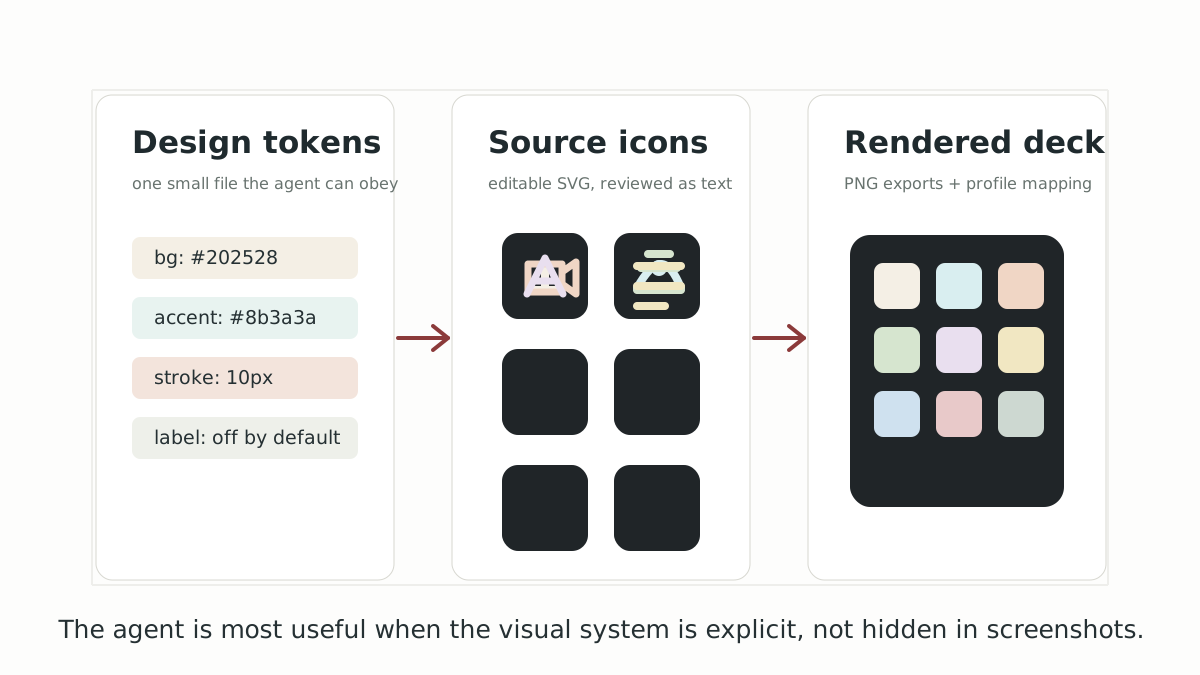
Icon consistency. Give the agent a source folder of SVG icons, a small
design token file, and a target size. Ask it to normalize stroke width,
padding, background color, and naming. Elgato’s general icon guidance says
custom key images should be square and at least 72 x 72 pixels; Marketplace
icon-pack guidance recommends 144 x 144 pixels and keeping files small.
For a personal repo, I would keep editable SVG sources and render PNG exports
at 144 x 144 or 288 x 288.
Profile cleanup. Agents can inspect exports, list repeated labels, spot near-duplicates, and produce a button inventory. That is useful when three keys are called “Mute”, “Mic”, and “Audio Off” but only one does what you think it does.
Variant management. A work laptop, home Mac, and Windows gaming machine
often need slightly different shortcuts. Keep a base profile plus small
notes for machine-specific changes. Ask the agent to prepare the variant,
then import it yourself.
Documentation. This sounds dull until you need it. A README.md that says
what each page does, which plugins are required, and which buttons trigger
external scripts is the difference between a maintained control surface and
a nice archaeological site.
A small repo shape that works
I would start with something like this:
streamdeck-control/
  AGENTS.md
  CLAUDE.md
  README.md
  profiles/
    exported/
    reviewed/
  icons/
    source/
    png-144/
    png-288/
  tokens/
    streamdeck-icons.json
  inventory/
    buttons.md
  scripts/
    render-icons.sh
    audit-profile.mjs
AGENTS.md is for Codex and other agents that read that convention.
CLAUDE.md is for Claude Code. I would keep them boring and explicit:
# Stream Deck repo rules

- Never edit files outside this repository.
- Never modify the live Stream Deck application support directory.
- Treat `profiles/exported/` as input. Write proposed changes to `profiles/reviewed/`.
- Keep SVG sources in `icons/source/`; generated PNG files go under `icons/png-*`.
- Prefer small, reviewable changes: one page, one icon family, or one profile variant.
- After changing profile artifacts, update `inventory/buttons.md`.
- Do not delete exported backups.
That instruction file matters more than clever prompting. It gives the agent a stable operating model, and it gives you a clean diff when something changes.
Companion repo
I created a small public companion repository for this workflow:
PatrickIsenegger/streamdeck-agent-workflows.
It contains starter AGENTS.md and CLAUDE.md files, safety docs, prompt
templates, sample SVG icons, design tokens, simple audit/render scripts, and
contribution guidelines. It also includes small agent skills for profile
audits, icon-system work, and new workflow samples. It is meant as a growing
toolkit, not a private profile dump.
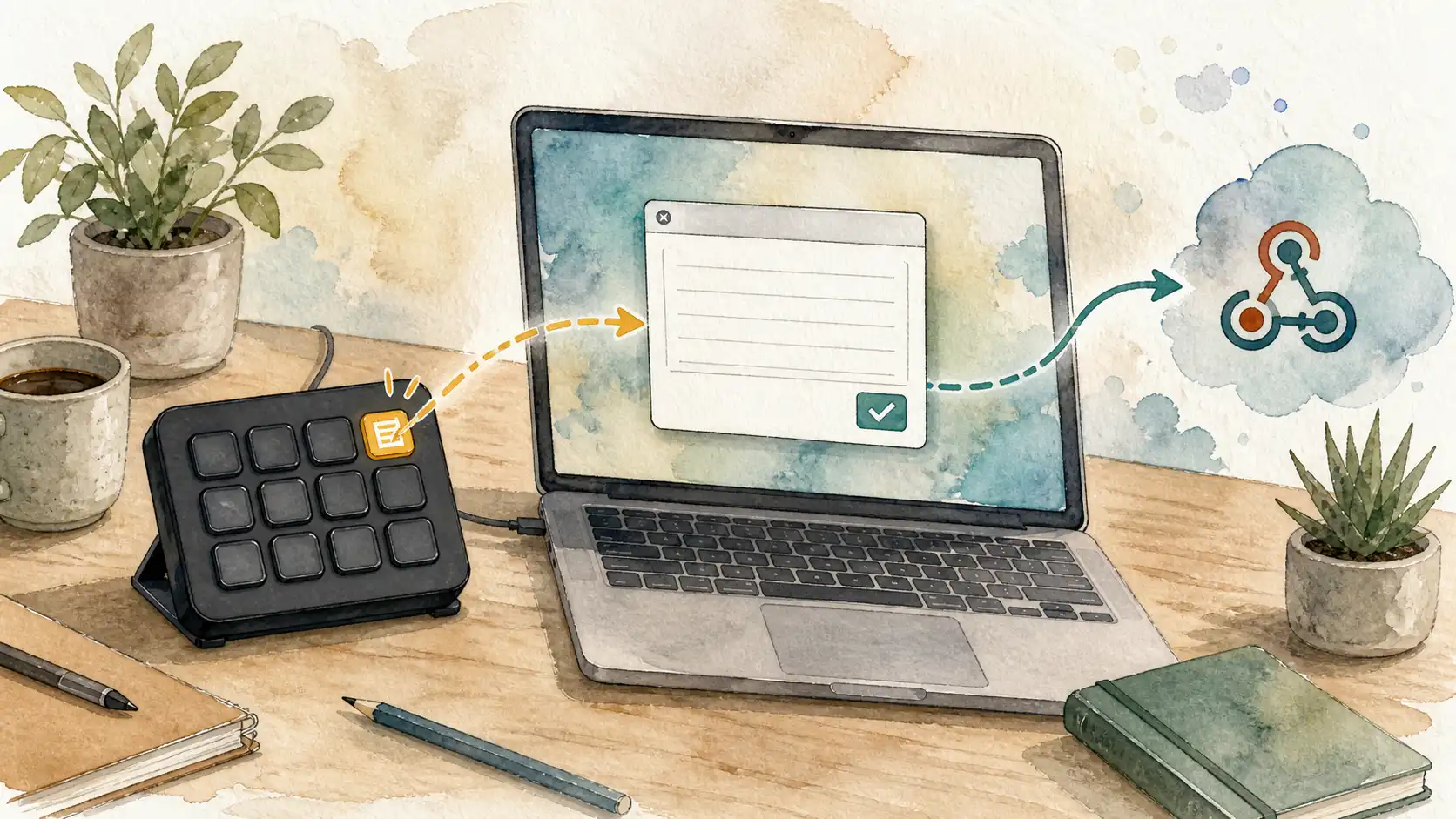
The first sample workflow is already there: a Capture text to webhook button that opens a small local text prompt and sends the captured note to a webhook as JSON. It is deliberately small, because it demonstrates the pattern: local script, explicit secret handling, documented platform notes, and a reviewable button idea rather than a magic black box.
I think those skills are the more interesting long-term layer. Prompts are great for one-off requests, but a skill gives the agent a reusable procedure: what to inspect first, which files are inputs, which outputs are safe to change, what risks to flag, and how to summarize the result. For Codex, the skill folders can be copied into a skills directory; for other agents, they still work as compact task instructions.
The repo currently has a short skills overview and three starter skills:
audit-streamdeck-profilefor inventories, dependency checks, and risk review before importmanage-streamdeck-iconsfor source SVG cleanup, consistent styling, and PNG exportsbuild-streamdeck-workflowfor adding new workflow examples with scripts, platform notes, and test checklists
Codex vs Claude: choose by workflow
For this use case, the deciding factor is less “which model is smarter?” and more “where do you want the work to happen?”
Codex is a good fit when the Stream Deck repo lives next to scripts, tests, render commands, and maybe a small static preview page. It is comfortable with repo-shaped work: edit files, run checks, generate assets, and summarize the diff.
Claude Code is a good fit when you already use CLAUDE.md, hooks, MCP
servers, or a Claude-centered terminal workflow. Its project instructions and
hook system are useful if you want to enforce a render step or an audit after
the agent changes icons or profile artifacts.
In practice, either can do the job. The higher-leverage decision is to make the workflow agent-readable and reversible.
Good first prompts
Start with constrained, inspectable tasks:
Audit this Stream Deck repo. Build an inventory of all pages, buttons, labels,
icons, plugin dependencies, and external file references. Do not change profile
files yet. Write findings to inventory/buttons.md.
Create a consistent icon style for the meeting-control buttons in icons/source.
Use tokens/streamdeck-icons.json. Render PNG exports at 144 and 288 px. Do not
change unrelated icons.Prepare a reviewed profile variant for my work Mac. Keep the exported original
unchanged, update only profiles/reviewed/, and summarize every shortcut or path
that differs from the base profile.Those prompts sound almost disappointingly narrow. That is the point. The Stream Deck is a real control surface. Small changes are easier to trust.
What I would not automate
I would avoid three things.
First, I would not ask an agent to live-edit the Stream Deck app’s internal profile directory. Use the app’s export/import path unless you are deliberately building tooling around the underlying format.
Second, I would not let an agent “improve” actions that trigger money, door locks, alarms, production deploys, or medical/clinical workflows without a human approval gate. A prettier icon is not worth a surprising action.
Third, I would not mix visual redesign and behavior changes in the same edit. If the icon changes and the shortcut changes, review becomes muddy. One dimension at a time.
A practical adoption plan
Day one: export a full backup, create the repo, add AGENTS.md and
CLAUDE.md, and ask the agent only for an inventory.
Day two: pick one low-risk page, usually meeting controls or app launchers. Normalize icons and labels. Import manually. Test every key.
Week one: add render scripts, profile variants, and a short README. Keep each agent session scoped to one page or icon family.
After that, the Stream Deck stops being a pile of one-off buttons and becomes a maintained interface. That is the real win. The agent is not there to press the buttons for you; it is there to keep the tiny control room understandable.
References
- OpenAI Codex use cases
- Anthropic Claude Code hooks
- Anthropic Claude Code feature overview
- Elgato Stream Deck profile backup guide
- Elgato Stream Deck action sharing
- Elgato custom key icon guidance
- Elgato icon-pack guidelines